
How to Follow Up on Slack Work from WhatsApp
Start an AI workflow in Slack and follow up on WhatsApp with the same Luffy workspace. See the handoff, setup steps, and prompts to try.
A launch team has the latest numbers in a dashboard, the discussion in Slack, and one person checking in from their phone. The handoff gets messy when that person has to ask someone to find the right thread, copy the latest numbers, and explain what changed.
With Luffy AI, you can start a job in a Slack thread and follow up on it from WhatsApp after linking your WhatsApp number to the same Luffy workspace. Use Slack for the shared brief and team decisions. On WhatsApp, ask Luffy for the latest status, the source behind a number, or the next action that needs you.
Start the job in Slack
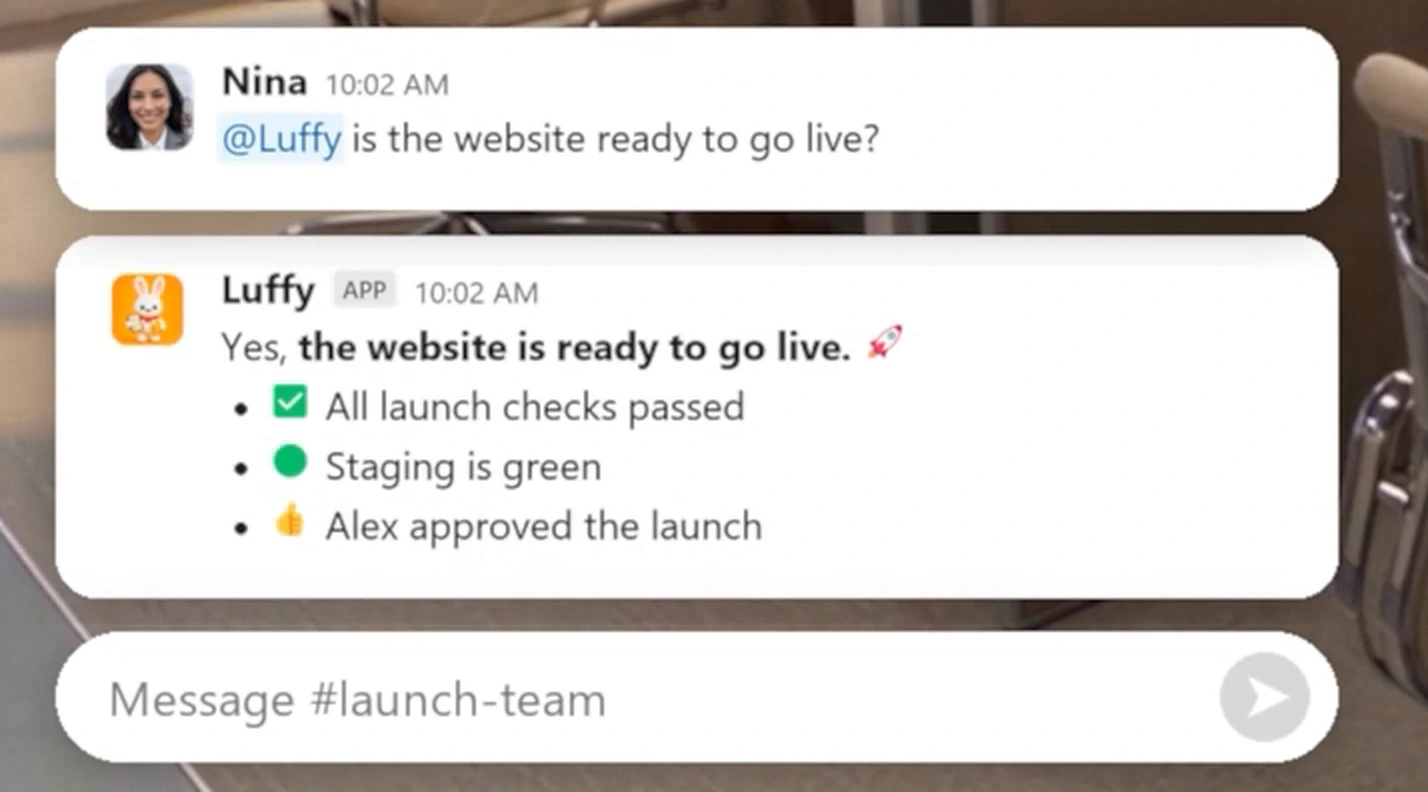
Name the job, the source, and the output. In the Luffy launch demo, Nina tags Luffy in Slack to check whether the website is ready to go live. Luffy replies with the checks, staging status, and sign-off. Later, she asks it to draft a client deck, and the demo shows Luffy waiting for approval before sending.
@Luffy Check staging and the launch checklist. Post the blockers, owners, and source links in this thread. Prepare an update for the team to review.
Follow up from WhatsApp
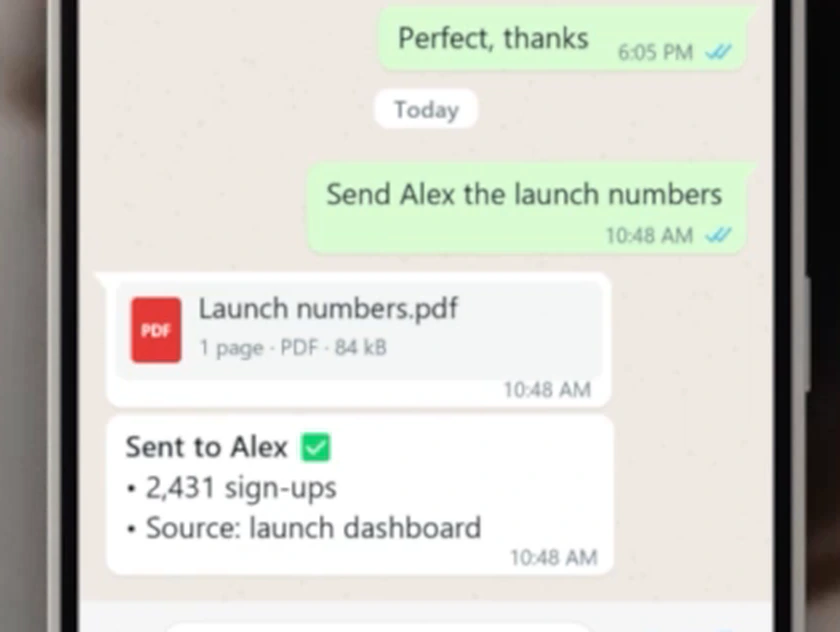
Use the same job name or reference the Slack channel so Luffy knows which work you mean. In the fictional launch shown in the demo, Nina asks for a reminder and gets a launch update on WhatsApp. The next day, she asks for the launch numbers. Luffy names the launch dashboard as the source.
What changed in the launch check from #launch-team? Give me the latest status, anything that needs my decision, and a link to the dashboard.
Set up the handoff
- Add Luffy to your team and try a small job in a Slack channel where the relevant teammates can follow it.
- Open Luffy’s platform settings and link your WhatsApp number to that workspace. If you have multiple workspaces, select the one where you started the job.
- Message Luffy on WhatsApp with the job name and ask for a short status and a source link. Ask for a draft before asking Luffy to send anything or change a record.
Try it with your weekly report
On Friday in Slack, ask Luffy to pull the week’s HubSpot changes and Google Sheets targets into one update. Ask it to show what moved, point to the source, and leave the report in the team thread. Later from WhatsApp, ask which item needs your attention. If the answer leads to a decision the whole team needs, ask Luffy to draft a recap for the original Slack thread.
This is a good first test because you can verify the numbers against the source and see exactly what got back to the team. Weekly reporting workflow · Compare AI agents for Slack
Frequently asked questions
Can I start work in Slack and continue on WhatsApp?
Yes. Link your WhatsApp number to the same Luffy workspace. When you follow up, refer to the job or the Slack channel so Luffy can identify the work you mean.
Do I need to connect my tools again for WhatsApp?
Link WhatsApp to the workspace where your tools are already connected. Luffy can use that workspace’s existing tools and memory from your phone, subject to the access your team grants.